Samsung IMEI.
Pixel FRP.
Knox Guard.
The all-in-one repair & unlock toolkit for GSM professionals. 361+ Samsung models via ADB, 31+ Pixel models via Fastboot, plus server-side Knox Guard removal.
If Titan IMEI Repair & Carrier Unlock Tool detects any of the following during operation:
- Cracking attempts or reverse engineering
- Debugging tools or memory inspection
- Patching, code injection, or binary modification
- Unauthorized background processes or monitoring tools
- Your account will be immediately banned
- All remaining credits will be permanently lost
- No refunds will be issued in such cases
Stay professional. Stay compliant.
App Screenshots
A quick look at the workflow before you download.
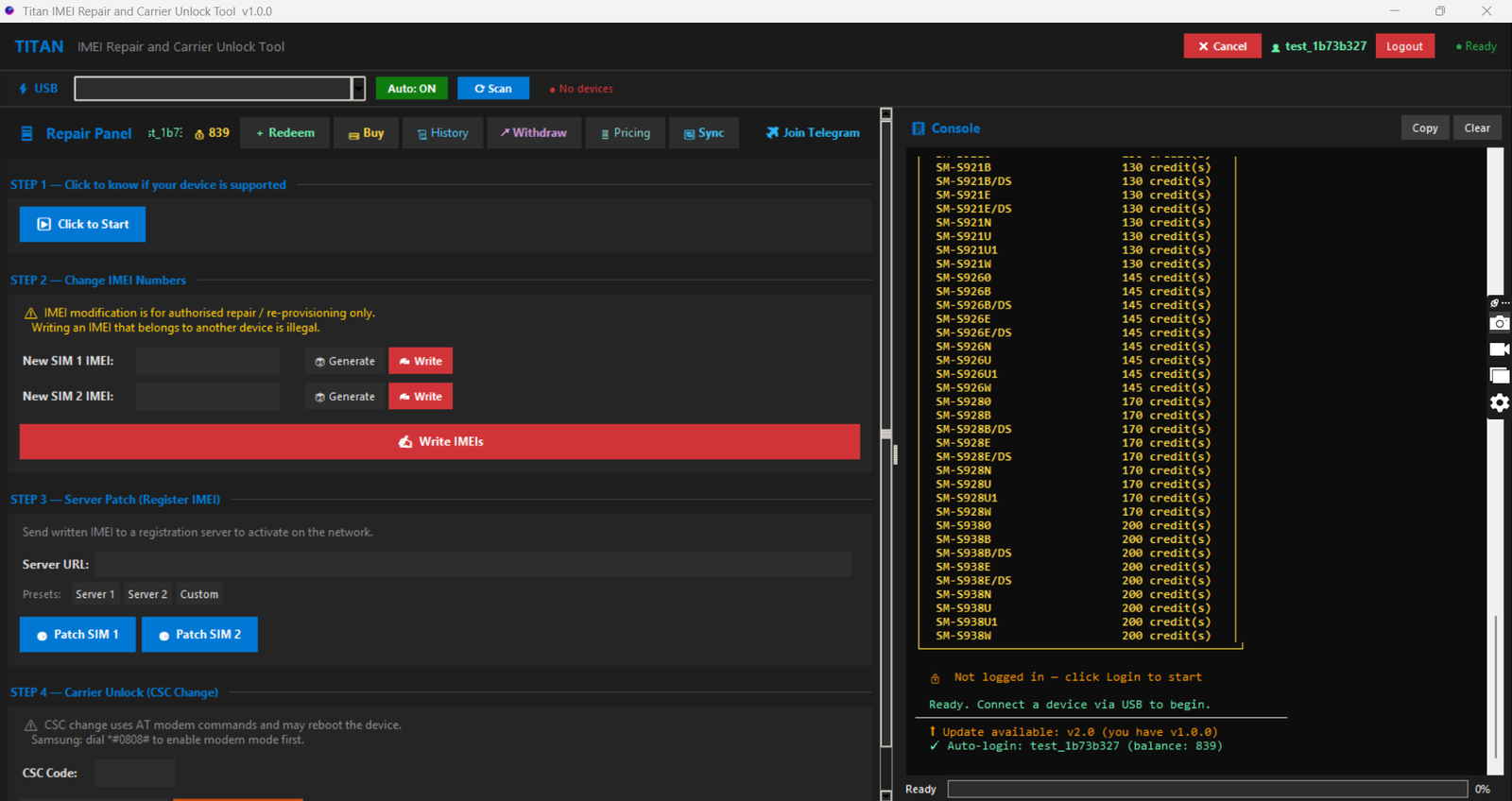
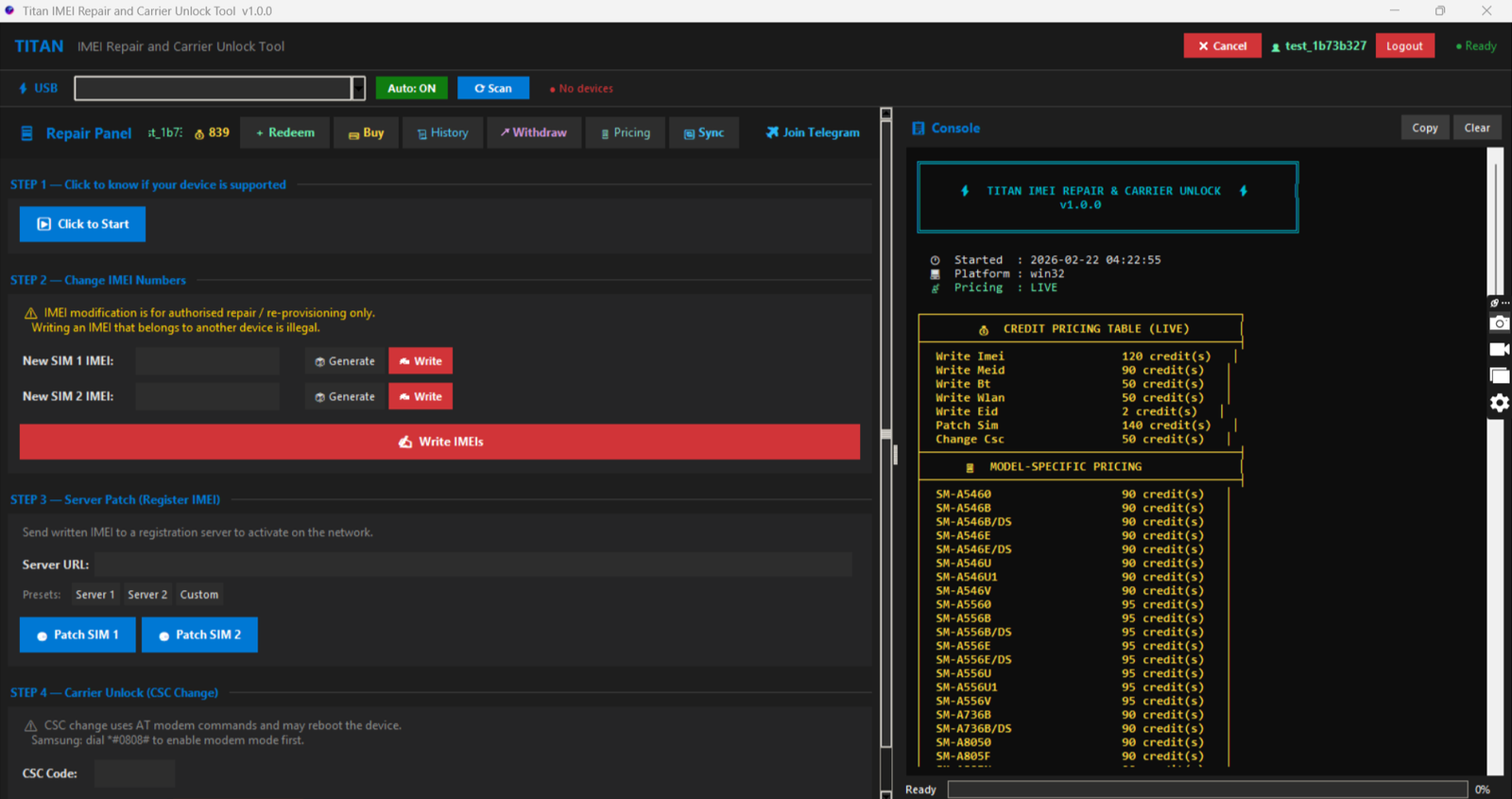
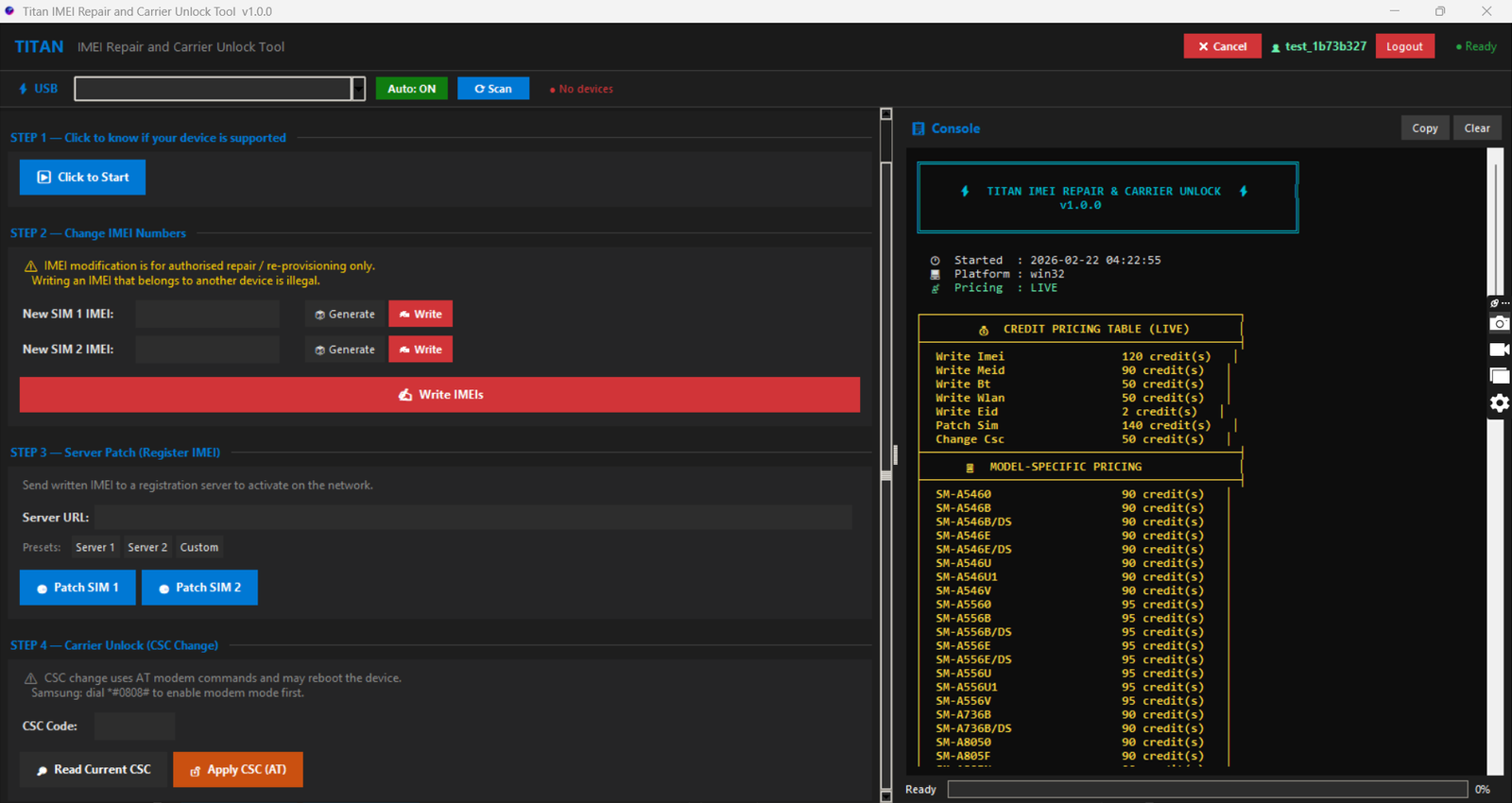
All Services in One Tool
Three powerful service categories covering Samsung, Pixel, and Knox Guard — all from a single application.
Samsung IMEI
Professional IMEI repair and carrier unlock for 361+ Samsung Galaxy models via ADB mode.
IMEI Repair
Direct IMEI write via ADB. Supports all baseband variants and regional models.
Carrier Unlock
Remove SIM restrictions and network locks for full carrier freedom.
eSIM EID Write
Write eSIM EID for compatible Samsung Galaxy models alongside IMEI repair.
Google Pixel
FRP unlock, bootloader unlock, and factory reset for Google Pixel devices via Fastboot mode.
FRP Unlock
Remove Factory Reset Protection (FRP) lock by erasing userdata and metadata partitions.
Bootloader Unlock
Send flashing unlock command via Fastboot to unlock the device bootloader.
Factory Reset & BL Lock
Full factory reset with bootloader re-lock. Restores device to clean OEM state.
Knox Guard (KG)
Remove Samsung Knox Guard lock via IMEI submission or QR code method. Server-processed.
Remove by IMEI
Submit device IMEI, model, and serial number to remove Knox Guard lock remotely.
Request QR Code
Request a KG unlock QR code for device-side removal. Credits charged at request time.
Remove by QR
Submit QR data with IMEI and serial to complete Knox Guard removal. Free after QR request.
Built for Professionals
Enterprise-grade security, dual connectivity modes, and transparent credit-based pricing.
Dual Mode: ADB + Fastboot
Samsung IMEI operations via ADB mode, Pixel operations via Fastboot. Auto-detection for both connection types.
Server-Side Processing
Knox Guard removals processed server-side. Submit IMEI or QR data and receive results remotely — no USB cable needed.
Real-Time Device Detection
Auto-poll for fastboot devices every 3 seconds. Live device info display: model, serial, bootloader, unlock status.
Hardened Security
Anti-debug APIs, anti-crack detection, HMAC-SHA256 signed API requests, memory protection, and runtime integrity checks.
Transparent Credit Pricing
Per-model and per-operation credit costs set by admin. Buy exactly what you need. 9 credit packages available.
Live Operation Logs
Real-time log output with timestamps, elapsed timer, and detailed step-by-step progress for every operation.
Simple Credit Pricing
Buy credits, use per repair. Each model has a fixed credit cost. No subscriptions.
Samsung IMEI costs range from 40 credits (Galaxy A-series) to 180 credits (Z Fold 7). Pixel FRP unlock: 40 credits | BL unlock: 20 credits | Factory reset: 30 credits. Credits purchased in-app.
Version History
Track every update, fix, and improvement.
- new Google Pixel FRP Unlock, Bootloader Unlock, and Factory Reset via Fastboot
- new Samsung Knox Guard removal ù Remove by IMEI, Request QR, and Remove by QR
- new Added 38 Google Pixel models (Pixel 4 through Pixel 9 Pro Fold)
- new Expanded Samsung model support from 155 to 349+ models
- new Auto-detect Fastboot devices with 3-second polling
- new Real-time device info display ù model, serial, bootloader state, unlock status
- fix Replaced AT modem commands with direct ADB-based IMEI write
- fix Resolved device detection race conditions on USB reconnect
- new Initial public release of Titan IMEI Repair Tool
- new ADB-mode IMEI repair for 155+ Samsung Galaxy models
- new eSIM EID write support for compatible devices
- new Carrier unlock functionality
- new Credit-based pricing system with 7 package tiers
- new Per-model credit costs (90–250 credits per repair)
- new Auto USB device detection with real-time info panel
- new Private beta with core IMEI repair via AT modem commands
- new 152 Samsung model support with initial credit pricing
- new User registration, login, ban system with HWID binding
- new Online guard with internet connectivity check
Frequently Asked Questions
ADB: Android SDK Platform Tools (for Samsung IMEI operations).
Fastboot: Platform Tools with fastboot.exe (for Pixel operations).
USB: Samsung or Google USB drivers installed.
Device Mode: USB Debugging (Samsung) or Fastboot mode (Pixel).
Internet: Active connection required for authentication, credit management, and Knox Guard operations.
2. Install ADB/Fastboot Platform Tools and the appropriate USB drivers.
3. Run the app and register an account.
4. Purchase a credit package.
5. Choose your service: Samsung IMEI (ADB mode), Google Pixel (Fastboot mode), or Knox Guard (server-based).
6. Connect your device (if needed) and select the operation to begin.
System Requirements
Minimal requirements. Runs on any modern Windows machine.
- Windows 10 / 11 (64-bit)
- Internet connection (required)
- ADB Platform Tools (Samsung IMEI)
- Fastboot (Pixel operations)
- Samsung / Google USB drivers
- USB cable (data capable)
- USB Debugging or Fastboot mode on device
- 50 MB free disk space
- 4 GB RAM minimum
Download Titan Tool
Free download. Register, buy credits, and start working. Samsung IMEI, Pixel FRP, Knox Guard — one tool.
Download TitanTool.exe